Return to the Event Hub

Building agentic automation shouldn't take you more time than the thing your already trying to automate...
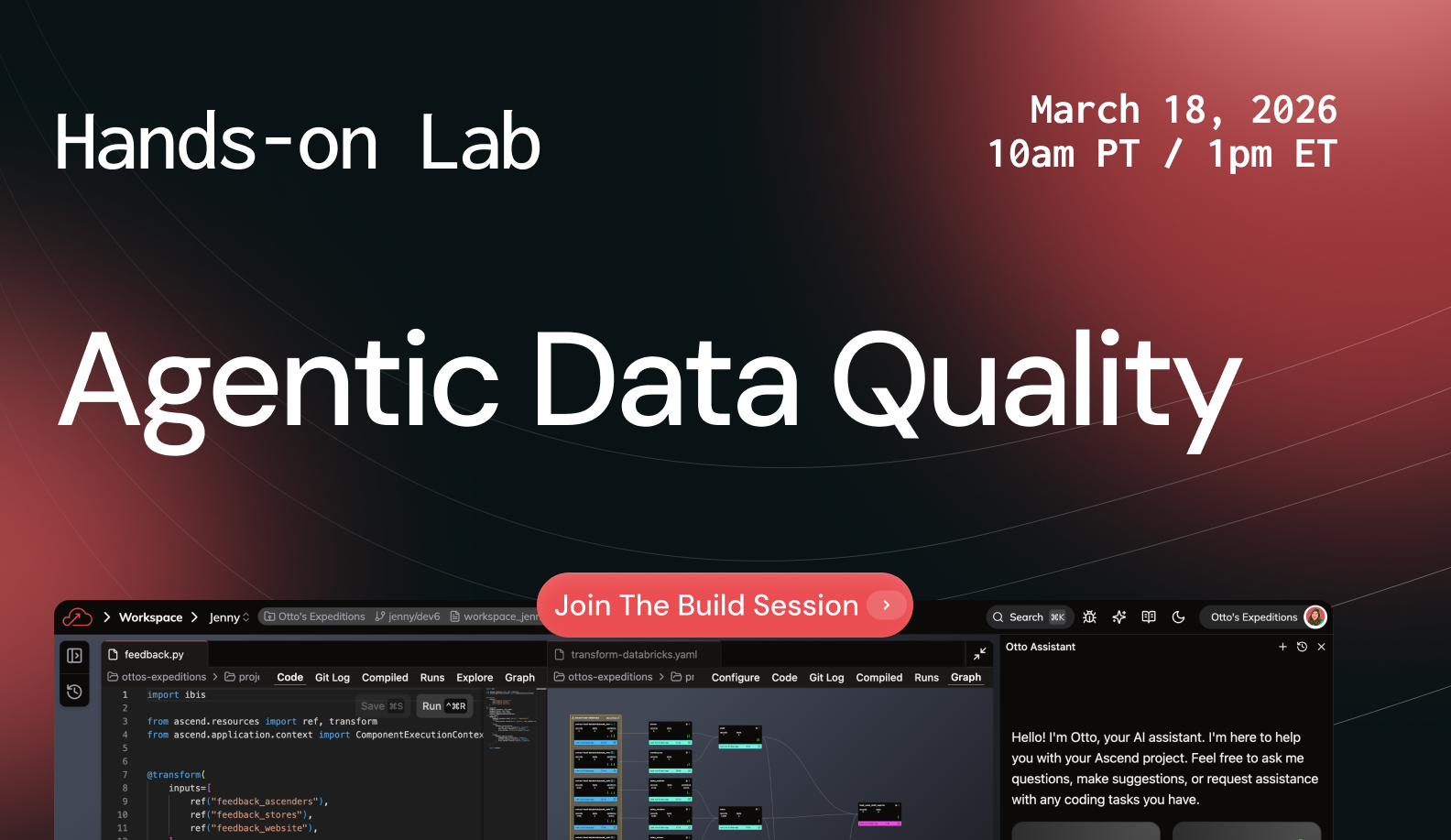
This 45-minute lab will walk through the full process of building custom agents—from writing your first prompt to deploying an agent your team can actually use in production. You'll learn:
By the end, you'll have a working agent and a framework for testing any agent you build in the future.
Jenny Hurn: Hello everyone. Welcome to today's hands-on lab, from Prompt to Production: Building Custom DataOps Agents. We're so grateful that you are here today to build with us. we have a lot of ground to cover. We're building agents from scratch. So let's dive in real quick with some introductions. My name is Jenny Hurn. I am our chief of staff at Ascend io.
And with me on the call more importantly, is Shifra. Shifra is going to be leading the charge here, helping us, uh, really understand what it is that we're building and why we're building the way that we are when we are building custom agents. Shifra has prepared a lot of really great content around context engineering and prompt engineering, and so I'm really excited for you to get all of that great juicy content, but also to, to go through the process of building agents together.
So, Shifra, how are you doing, first of all? And yeah. What are we gonna be talking about today?
Shifra Williams: Doing great, Jenny. Thank you so much for asking. Really excited to be here with everyone today. There's actually one more little intro I wanna throw in here, and that is for our friend Otto, who's on the top right.
Otto is the Data Pipeline Goat. He represents all that Ascend has to offer, and he's also gonna be our AI agent, our intelligent data engineering agent, if you will, in the Ascend platform. And we're gonna work with him a lot today. So getting into the agenda for today, we've done our introductions, we're gonna jump right into some key frameworks surrounding the architecture you need for good AI agents, what agents need to succeed and all of that really good stuff. We're gonna get started in the Ascend platform and then we're gonna build an age agentic workflow live with all of you. If we have some time at the end of all of this great content, we're gonna save some time for q and a. And yeah, let's get right into it.
Jenny Hurn: So, yeah, Shifra, tell us about the key frameworks that we need to really be successful when we talk about building agents.
Shifra Williams: Yeah, that's what I'm here for. So the first framework we wanna talk about is the elements of agentic workflows, and we can kind of think of agentic workflows as having three prongs for anyone who came to our most recent webinars.
We have talked about this before and it continues to be relevant, so we'll keep talking about it. Um, so the three prongs, uh, of agents are going to be tools, triggers, and context. So let's, let's talk about how each of these manifest. So tools are going to be accesses to services, and this can mean something as simple as reading a file or moving something around in a data platform.
And then also MCP servers, model context protocol servers, that are gonna allow the agent to, make things happen in the external world, whether that might be Slack, that might be GitHub. We want the agent to be able to act in the platform and outside of the platform and that kind of covers tools.
Then we also wanna talk about triggers. And this is what is, uh, setting off that agent to make it act something has to trigger it. And so we kind of conceptualize two different types of agentic triggers here. We think about automated triggers where maybe, uh, an agent is listening for some event to happen or it runs on a schedule and it takes some autonomous action.
That's kind of something that we covered in our last webinar. This webinar, we're actually gonna be focusing on these interactive collaborative agents that are triggered by something as simple as a message that you send. And this is something that I think all of us on the call are really familiar with, just that back and forth.
And so that's more of that collaborative triggering. And then the last thing we wanna talk about is context. We're gonna dive really deep here, and this is gonna be prompts and data that guide agents to accomplish tasks.
Jenny Hurn: Right? So tools make sense. Uh, agents need to be able to interact with things in order to accomplish tasks.
Triggers are the things that initiate an agent. Um, and then context is the thing that guides and propels that agent to actually give you the output that you are hoping to get from that agent.
Shifra Williams: Yeah, that's exactly right. So, diving a little bit deeper into context, this is what we really wanted to focus on in this webinar here.
So as you can see from this little handy dandy diagram, some context that you'd be feeding into an LLM would be the actual prompt, but it goes a lot deeper than that. That's just the tip of the iceberg. And other things that get in are data, the chat history, retrieve documents, and really just relevant context for what you're doing around that prompt.
So in Ascend, what this looks like is system instructions that get added to every prompt, relevant rules where maybe a user is asking about a specific topic, and then we can pull up a deep dive of, like, hundreds of lines about that one topic. So that would be like kind of a relevant rule coming in and then user input.
But again, user input is not solely that prompt that you type in. It's also the surrounding files. It's also your settings and understanding, you know, the specific configuration that you might have going in whatever platform you're working in. And so, one other tip we wanted to share with people for context engineering is if you're working in a data platform, you wanna make your table and your column name super explicit, make them not at all ambiguous.
And really this applies to anything, any context that you give should be really readable and clear for a human. And that will make it readable and clear for an LLM too. Don't make the LM guess, right.
Jenny Hurn: Yeah, and I think you'll show us what this looks like in practice in a little bit. But I do think it's really cool to double click into the fact that when you are building an agent, the context that you provide that agent is gonna be the key to its success.
And so as much context as you can feed the agent, obviously within reason, you can over-engineer context too, which I'm sure we can talk about later. Um, but having, having a framework in place that enables this context to be shared to the agent is really valuable. So, how do we, how do we pass that context to an, to an agent?
What is the architecture that we need in place in order to have, like this context engineering built into the agents we built?
Shifra Williams: Yeah. Such an important question to think about. And that is the question we're gonna answer in our next framework here. So we're gonna talk about a three layer architecture here that we believe is going to enable agents to do their best work.
And these are really architectural principles that you'll need in whatever platform you're using. But we're gonna talk a little bit about how they manifest in Ascend here, because we'll see that Ascend has that architecture in place, it's gathering a lot of that context or really all that context for you.
And that's why we're gonna demo in the Ascend platform, even though again, all of these principles we're talking about apply to agents anywhere, agents everywhere.
So talking about the first layer of this architecture here, in the data engineering space, you really need to unify your ingestion, your transform, and your orchestration of your data in order to have a consolidated system for agents to really work on top of.
And once you're able to pull in your data, transform your data, and orchestrate your data all in one place, that then enables you to observe that process end-to-end. So that's what gives you that end-to-end observability. And then once you can see what's going on, now you can actually optimize all of those workflows as well.
So essentially we're pulling everything together so we can see and then improve upon it. Because you can't improve what you can't measure, right?
Jenny Hurn: And I imagine integrating a bunch of tools, you know, if that's complex for an engineering team, it's only more complex for an agent to operate in a, in a stack.
That's a lot of disparate parts.
Shifra Williams: Yeah, absolutely. So unifying that is really, really just the foundation of what we need for agents to, to function optimally. Then the next layer on top of that, once we have all of this in place here, we now have unified metadata collection across all of these sort of functions.
And that is going to serve as our context. So going back to that three-prong framework we just talked about. Then finally, we're feeding all of that unified metadata into our agents, which are gonna really act as our tools here. And Ascend also has a data aware automation engine. Again, no matter where you're working, you need some sort of trigger.
But Ascend has all of that built in, which is super cool. So to recap, we have the unified metadata across all of these different functions as context that goes into the agent, which is acting as our tool. And we have an automation engine that can serve as that automated trigger here.
Jenny Hurn: Yeah, and I think the integrated AI agents like also have the ability to make their own tool calls within the system.
Right? I think that's really important. So whether that's with MCP servers that are, making external tool calls that can do things like send Slack messages or do, you know, your normal alerting process through PagerDuty or something like that. Or whether it's internal tools to your data stack, things like the ability to run a flow or edit a file.
Those are all tool calls that your agent is gonna have to be able to make. And you need some way to trigger those as well, whether that's on a schedule or whether that's with a chat or, or some other event in the system that's gonna be able to do that. So, yeah, I think this all makes sense and I love how neatly it maps to the thing you were talking about before, the first framework of context, tools and triggers.
Shifra Williams: Yeah. So until now, we kind of talked about these, these bottom two layers, which are really what makes AI agents effective. But we don't just want them to be effective.
We also want them to be safe. So we wanna enable safe and effective collaboration between engineers and between ai. And that's kind of what this top layer is really giving us. So this top layer is all about this concept of data ops, which is, you know what it sounds like it's DevOps for data.
And the way that we think this needs to manifest is that we really need to separate the place where we're developing from the place where we're deploying. And it seems really obvious, but it becomes super, super important in practice. So the way that this works in Ascend is that we have developer workspaces and we have automated deployments.
Now, what's the difference here? Well, developer workspaces are where you're building data pipelines, you're building your Python and your SQL out. We're isolating that with git version control. So everything is Git backed. And then deployments are a completely different environment that's entirely automated and entirely read only.
So because it's read only, it's really designed for end-to-end observability, agentic monitoring. And essentially we've created a situation where your agent can't break production data, even if it's tried. It's literally not possible. And so having that separation is allowing those collaborative agents to develop with you and then those automated agents to act autonomously in a very secure way.
Jenny Hurn: Awesome. Yeah, I think that's always the fear, right? That AI is gonna act in a way that breaks something in production. And so just having the, the boundaries, uh, there to say, you know, agents can develop in workspaces, but in a deployment or a, a, a production environment, that's all locked down and read only. Not only for your agents, but also for maybe an engineer who happens to make a mistake sometimes.
Shifra Williams: A hundred percent. A hundred percent. And so just to tie all this up here, we really wanna show that this architecture is absolutely necessary for agents to be functional and making a real impact in your data pipeline work. And the reason we're gonna demo this in Ascend is because Ascend really has this architecture nailed down, with all of this context being fed into these agents that are safely deployed.
That's the principles that you can apply anywhere that we're gonna apply in Ascend Today.
Jenny Hurn: Makes sense. Okay. What's our final framework so we can get building?
Shifra Williams: Yeah, let, let's, let's, let's get through this and get building. So the last framework we wanna share is prompt engineering best practices adapted from Anthropic, obviously the company that makes Claude some of the best models in the space.
So these are some of the principles we wanted to highlight from their interactive tutorial for Prompt Eng, which I highly recommend to everybody on this call. It's a really fun follow up to do.
Jenny Hurn: So we will share that as a resource after this call as well in a follow up email.
Shifra Williams: Yeah, we can totally send slides, docs, uh, this anthropic source.
Like anything that people are interested in, we can definitely send that out because this is a journey that we're just starting today, not finishing today. So yeah, to highlight these four these four points we wanted to share with y'all. So the first one is clarity. It's really important. To be clear, specific and direct when you're prompting.
And we also recommend telling an agent to think about the answer. Just like you kind of want a human that you're talking to, to think before it responds. You kind of have to tell the agent to do that explicitly. Then we also wanted to really highlight roles and the reason that roles are in red. Is because roles are really what makes things agentic.
And the principle behind this is to assign your agent a role you want it to perform. Tell your agent who it is, what is it good at, what purpose does it serve? And this is the difference between like a kind of ad hoc conversation versus an agent. So that role one is really, really important.
We also wanted to showcase few shot or one shot learning, which is really when you provide examples of the desired output that you want your agent to give you. And this is also something we could relate to as humans. If we're doing something for the first time, we'd love to see an example of how it's supposed to turn out.
That can be really, really helpful. And then in that case, one shot would be a single example, few shot would be a couple. And then we also wanted to discuss tuning. So using the right model and configuring it with the right settings can be really important. Trust me, we learned this while prepping for this webinar.
This can really make or break your use case. And so we really wanna make sure that people are thinking about using the correct model for their use case. Trying a, a different L LMS and seeing what the LLM world has to offer. And then also playing with this temperature parameter and this temperature parameter that you'll see on a lot of models.
It ranges from zero to one, and it's really talking about kind of the variability or, uh, kind of craziness of the AI answers. So zero is like the most predictable that AI can get, and one is the most out there, it can do anything basically. And so I think the agent that we'll be building today has a temperature of zero because we want, we want it to really just be as deterministic as possible that you can get in the AI space.
Jenny Hurn: Absolutely.
And we'll see examples of all of these as we build to together today. So let's talk through what we're gonna build before we showcase the, these kind of best practices in the agent that we're building.
Shifra Williams: Yeah, absolutely. So, we're ready to build.
So what are we building today? We're actually gonna be building a custom code reviewer agent that is featuring the prompt engineering and data ops best practices that we all just went over together. And, people might be wondering why a code reviewer agent, right? So we, we kind of want people to picture this scene where you have a backlog of 20 pull requests to review from your team, and you have your own tickets to get through this sprint.
You have a bunch of meetings on your calendar and a bunch of other things to, to deal with. And of course, you know, code style is really important to you. You want code to be clean and you want, uh, the entire team using kind of the same design preferences, but you don't necessarily have time to go through and say, Hey, you know, you should use this pattern instead of this one for every single pull request on your backlog.
So the idea here is to kind of clone yourself and create an agent directly in your data platform that is reviewing code, that is giving your team all of the same guidelines to align on, and really just cleaning up that code before it even gets into a pull request, so that by the time it gets to that pull request, you can really focus on architecture decisions that matter and not have to think about design patterns at that stage.
Jenny Hurn: That makes a ton of sense. I think that's, uh, relevant to a lot of people on the call wishing they could clone themselves in, in some way or another so that they could get more work done in a day. So let's dive into it. I'm gonna share a doc in the chat. You should see it in the chat. It is docs do ascend.io/howto/events.
Slash DataOps agents. Go ahead and click that link you should get here. And this is the doc that we're gonna walk through today in the lab. Shifra's gonna walk us through it. You should get this cute little picture of Otto at the top. But starting with first things first, like Shifra mentioned, we are gonna build in the Ascend platform today just to keep things easy with that context engineering piece. So go ahead and click sign up for your free trial.
Shifra. I'm gonna have you click that as well. And then this should bring up this beautiful form. Lots of fun, happy clouds. Go ahead and put in a email address. A quick note on your email address this does need to be a company email address. Unfortunately, we've had to lock down like Gmail, Yahoo, outlook email addresses, and can only do this 14 day free trial for company domains at this point.
So go ahead and put in a company email, your first name, your last name, your company, and your job title. And then you can click sign up. I won't have Shifra do this 'cause Shifra already has an instance and so it'll be confused. But you should see a little check mark, once that form has been submitted.
When you submit that form, you are gonna need to go to your email inbox. And you should see an email from Team Ascend. You can click this email invite to accept your invite to your instance, and from there you're gonna be able to sign in. So you can sign in with either a username and password, or you can sign in with Google authentication, depending on, you know, your provider there. So hopefully everyone's been able to sign up for that free trial, accept that invite from team Ascend.
And then hopefully you should get to the homepage on Ascend. So Shifra, can you show us what that looks like?
Shifra Williams: Yeah, let's do a little tour of the Ascend platform here.
Jenny Hurn: Quick note right now. You should see like a window pop up with your, with a, a platform tour. So shipper can pop that up.
You can just go ahead and close this out. You can open those back up, by clicking that, like get started, zero out of five if you ever wanna come back and watch these tutorials later. But, for now, let's just close out of all the tours that pop up so we can focus on, on building.
Shifra Williams: Yeah.
So little tour of the Ascend platform.
Here we land in the homepage, we can see the different workspaces which are for development and the deployments, which are those isolated read only environments that we talked about in the architecture stage of this discussion here. And what we wanna ask everyone to do is just jump straight into your workspace.
I'm gonna start mine back up because we have this really smart thing in Ascend where we auto snooze the workspace after it's been idle for a certain amount of time. Just to keep things as efficient as possible here. So while that is starting up I can talk a little bit about the next step here, which is actually setting up open ai.
Jenny Hurn: Awesome. Yeah. So like we said earlier, a big part of prompt engineering is tuning and making sure you're working with the right models. We ran this lab tons of, tons of times using tons of different models and one thing we found was that we got the most success when working with OpenAI.
And so to work with OpenAI today, we're gonna provide a OpenAI API key for everyone to use today during this webinar, so that we can use kind of that best model that we were finding for this particular use case. So Shifra, yeah, why don't you go ahead and show us how to get to those settings to input the open AI API key into our instances.
Shifra Williams: Yeah, absolutely. So all you gotta do is click on the top right that has your initials that you signed up with here, and then we're gonna click on that. We're gonna see the option to click on settings, so you can just click that. To navigate to your platform settings here, and then once, yeah, and once you're in there you can click on AI and models.
Yeah, so once again, we've clicked settings from here. We're now in settings. We click AI models at the left to get to this section here. We'll scroll right down past this stuff into the open AI section.
Makes sense. That's where the open AI stuff's gonna be. And then we'll click on the plus sign here. So once you click the plus sign, you're gonna be asked to create a secret, and this is where you'll put your API key. So I would name it something like OPENAI_API_KEY, separated by underscores. Really doesn't matter that much, but this is just an easy convention so you can like, remember what's going on here later.
And then paste your API key in. So I'm just gonna paste some random value in here, but you'll wanna paste that API key that Jenny has just shared, both in Slack, both in Zoom, and then click Create. And once you do that, you should see exactly what I have on my screen with the open AI API Key being selected here.
And then once you have that, you'll wanna verify that to make sure it's working. Um, so you'll click the verify button, you. And once everything is working, you'll see a green check mark here. Great. Now I know that everything is good and then you'll wanna click save. I'm not able to click save 'cause I already have saved, but you should be able to click save here.
Also, just wanna highlight for people, we are not flying blind. If you're a couple steps behind, we know that things happen. We do have every single step that you'll need to follow along with every single thing we're doing today. All in that doc that we shared at the beginning. The link is in chat, the link is in the channel.
So you should be able to follow through all of the steps that I just ran through inside this doc right here, so you don't have to play any guessing games with us today.
Jenny Hurn: Awesome. I love a good doc.
Shifra Williams: Me too. Jenny. Me too.
Jenny Hurn: Shifra, can you give us a preview of where we're going from here maybe Yeah. Before we actually jump into it, can you show us in the doc where we're going?
Shifra Williams: Yeah, absolutely. So the next thing we're gonna be doing in the doc is really setting up everything we need to do some agentic development here.
And we're doing agentic development, so we shouldn't have to do anything ourselves. We should have agents be setting things up for us as well. Yeah, so what we're gonna be doing today is working with Otto, our friend that we met earlier. He's gonna run a data pipeline, also known as a flow in the Ascend platform for us.
He's gonna create a code reviewer agent for us and then he's gonna provide some, like less than ideal SQL code for us to be able to test our agent and see can this code reviewer actually do a good job and fix some bad code. 'cause that is what we need from it. So we're gonna work through some steps here and while folks are catching up, I can also give a little tour of the Ascend platform.
Awesome.
Jenny Hurn: Yeah. So why don't we go back to that homepage mm-hmm. Where we started. So you can do that by clicking that cloud button, um, in the top. Yeah. Top left to get back to your, um, homepage if you were in settings.
Shifra Williams: Mm-hmm.
Jenny Hurn: Awesome. Shifra, can you, go ahead and give us a, a little tour from here. It seems like, you know, I'm seeing in your instance the Shifra Workspace and your production deployment.
Shifra Williams: Yeah. So everybody should have a workspace corresponding to their first name that you entered in the form. I'm Shifra, so I'm gonna have a Shifra workspace. If you have a Shifra workspace, let me know. Let's be friends. But for now, we'll just click on the workspace that matches our name. For me, that's gonna be this one.
Now my workspace is all spun up so we can see everything that's going on here. So the view that we land on in the workspace is called the super graph. Each node, only one for now, but each node in here is going to be a pipeline. So this is actually the sales data pipeline, and we also call pipelines Flows in Ascend, as I briefly mentioned.
So if we wanna see what's going on in this specific sales flow, we're gonna double click into that sales flow, and that's gonna land us in the flow graph. So now this is just a single pipeline and we can see all of the different nodes or components of that pipeline and what's going on in here. So to give a little tour of these different components, we have these light blue ingest components that are reading data from Google Cloud Storage on the left. We have these teal components that are SQL and Python transforms that are, you know, working and operating on our data in the middle. And on the right here we have these like magenta pink components. These are running tests and tasks on our, on our, uh, data, which are really just like arbitrary code that kind of can do whatever you need.
So that's what tasks and tests are there for. And zooming back out, this is our entire data pipeline. So a couple more things that we wanna show folks here. We're gonna be working in the files panel a little bit. So the files panel is on the top left here. This is really just a file tree of everything going on in our environment here.
Super helpful to get a bird's eye view and just get to things quickly. We'll also be using the source control panel. This is where all of our git and version control operations are going to happen. So again, source control and files on the left. If you need to jump to something, you can do that in the build panel here by clicking a focus on that specific thing.
And then the last thing we wanna show people here is Otto. So if we look at the top right of our Ascend instance, we can grab Otto from anywhere just by clicking these, sparkle buttons here. And that is going to, let me just zoom out.
That's gonna pull up our Otto chat panel on the right here, and this is where we can chat with Otto in sort of a collaborative way. Otto's all over the platform, but this is where we'll be talking to him today.
Jenny Hurn: Awesome. So let's walk people through the steps of setting up their agent, their Otto agent, their default agent in Ascend, exactly how they should set it up for this lab.
Shifra Williams: So we talked about tuning a little bit, and we wanna do a little bit of tuning right now just to get the exact egetic setup that we want.
So I want everyone to click this little infinity in the bottom right of the Otto bar. Again, you can open the Otto bar by clicking the sparkle at the top. Once you have that open, I want everyone to click this infinity, so to make sure they see the blue circle. This is actually turning on agent mode. This is letting Otto be more autonomous, letting Otto save files of its own accord, and really just giving us the best experience for today.
You're also probably gonna be set to a claude sonnet model. As we mentioned, we do want everyone using the open AI that you just set up. You don't wanna set that up in vain, so we want everyone to click on that claude sonnet model. Hover on OpenAI and please select GPT-4 0.1. So again, please select the current model, hover on OpenAI and select GPT-4 0.1 to use with us today.
And now you should have GPT-4 0.1 with that Blue Circle agent mode turned on. Again, all of these steps and more are covered in that doc if you're a few steps behind. No worries at all.
Jenny Hurn: Awesome. Great. So assuming everyone has Otto set up to, uh, the OpenAI, uh, GPT-4 model, 4.1 model, uh, what's next? How do we get started building?
Shifra Williams: Yeah, so we're gonna get started building by just letting Otto know what we're doing here. So you can say something to Otto, like, I'm here for the lab. If you wanna be even lazier, because agentic development is all about having to do as little as possible to get the right outcome. You can even just copy paste the prompt that I'm giving you in the doc.
I'm here for the lab if you want to flip back to that doc. Otherwise you can just say, you know, I'm here for the lab, I'm here for the webinar, whatever floats your boat. Something along those lines doesn't have to be perfect or super specific. And so now what Otto's gonna do is Otto's gonna welcome me.
Thank you so much Otto. And Otto's gonna tell me these are the steps we're gonna run through. So we're gonna run the sales flow here. We're going to, copy some files that we'll need and, get started. So Otto's asking me, am I ready to start? I'm gonna say, go for it. I am ready to start. Again, I've given you that prompt in case you wanna be copy pasting with us.
But again, you don't have to be super specific. Otto's gonna figure out what to do and sometimes LLMs do slightly unexpected things, but that's okay. We can always get them back on track. That's really the art of prompt engineering that we've been talking about this whole time here. So now we can see that Otto has called some tools here if calling a tool for run flow, listing the runs, getting the run, and we can see that this data is flowing.
Something's happening here because Otto has triggered that flow, which is honestly so fricking cool to watch every time. It doesn't get old. Um, so we're, we're super happy to see Otto running exactly as expected. Definitely wanna give folks a chance to get their prompt going, tell Otto to start. And once you see this flow running, you're actually ready to prompt Otto to go to the next step.
Jenny Hurn: Shifra, while that's running. I think people would be really curious to see or understand why. How Otto is, is doing this. Right. You've trained Otto to do this thing for everyone in this lab. Yeah. And how are you able to train Otto to do that?
Shifra Williams: Yeah, such a great question. So we have these agents and rules in the Otto folder, in that files panel that we talked about earlier.
And there is a rule that we are actually invoking right now. This is the agent's webinar rule that I've been working on the past couple of days. And this
Jenny Hurn: is, I'm sorry to interrupt you, Shifra. You're good. I just do wanna remind people like, go ahead and have Otto start that next step where it's, um, creating these files while Shifra's talking.
So you can get started on building once she gets through this. Um, but yeah, please carry on. I think people are so excited to, to learn about how this works. But do want people to move on to that next step where Otto is creating these files for you?
Shifra Williams: Totally. And just as a reminder to people who are trickling in or people who are getting their instance going, every single step that we've done is in this doc.
Um, if you have to catch up a little bit, that's totally fine. We wanna give you everything you need to succeed with us today.
Jenny Hurn: Cool. So yeah, go ahead and tell us about this, this rule that you set up.
Shifra Williams: Yeah, absolutely. So these rules are things that were basically triggering Otto to invoke with specific keywords in our prompt that we give to Otto.
So those keywords include lab and webinar. And so basically when I said I'm here for the lab. Otto kind of perks up and says, oh, this rule is now relevant to me. So let me pull this in. Let me use this. And, let's see what's actually in that rule. So in that rule, we have some instructions telling Otto what's going on in this lab.
It's October 29th, 2025. It has a specific purpose and focus. We're telling Otto to welcome the user. We're telling Otto the goal of this lab and the things that we wanna complete here. And then we're giving Otto some specific instructions that when it's running the flow, we want it to behave a specific way.
We're even giving Otto some examples, which is kind of similar to that, uh, few shot learning we talked about. And so Otto's actually gonna be using some example templates to give us the files that we need here, meaning the code reviewer agent itself, and also the test code here. And we also have, some tips for Otto to be fixing these files and we're giving Otto the whole kind of outline that once we get this in, we're gonna be testing the agent in a specific way. And finally, we even have a little cleanup step here where we're gonna be creating a bunch of stuff and if we want it to run it again, we can clean that up and start fresh. So there's a lot going on in here and the agent is really able to understand it's uh, or sorry, the rule is really able to give the agent a role.
Give the agent some examples, and a lot of those best practices that we discussed earlier.
Jenny Hurn: Awesome. And this fits into like the greater context we were talking about of context engineering. So can you talk about how this rule is getting pulled into the rest of the context that Otto has in order to be able to operate and fulfill like the tasks that we're giving it?
Shifra Williams: Yeah, absolutely. Let's talk about how that works and then we'll see how that manifests in what Otto Otto's actually doing here. So this is another resource that we've prepped for all of you that we can definitely give as a follow up, but we really wanna showcase how, context Engineering works in Ascend and show that this is a framework that again, can be used anywhere, but we have it all set up for you.
So how do Otto prompts actually work? Well, every prompt that gets sent to Otto is following a very structured process that's gonna enrich whatever request you give it with a ton, a ton of context. So. First we have system instructions, which are core instructions that define Otto's behavior and capabilities.
We have relevant rules that are pulled when the context is relevant. And that's kind of exactly what we did with our prompt when we said, I'm here for the lab. We pulled in that relevant rule that I just shared with y'all. And then finally we have the user input, which is again, not only the prompt that you put in, but also surrounding files, surrounding settings, and good metadata that's, that's important for the agent to know. One thing that's really important to highlight here is we're gonna see some big system instructions that make Otto who he is. That system instruction is actually overwritten when you use a custom agent. So you are essentially rehauling the whole system, which is pretty powerful.
So, we have a sample trace here to show what actually happens when you put in a simple prompt. How does that context actually get enriched? Right?
In Ascend, we have those automations we talked about, which serve as triggers for the ai. And we have a, a chat that's, that a user is gonna put in about an automation.
So a user might say to Otto, you know, perform the instructions in this automation, use the details, do what the instructions tell you. Seems really simple and quick, but nothing is going to be simple as we'll see. So the first thing that gets added here is the system instructions. I have all these kind of collapse, but we'll expand to see the full one.
Um, so the system instructions here are saying, you know, you're an agent. Giving that role that we talked about in our best practices. You gotta plan extensively. Here are all the kind of rules at your disposal. So this is really giving Otto layers of context where it starts kind of surface and it can pull and go deeper as needed.
My guess is because the user asked about automations, Otto might actually just pull up that rule about automation. So we'll see what happens. And then at the end we have some personality saying, you know, this is your personality, this is your tone, this is how you should act. And a little reminder at the end to say, you always gotta call some rules before you answer the user, which is always good to put something at the end because again, we talked about how context can get overage engineered sometimes.
So you wanna have something at the end to kind of, uh, remind the agent so it doesn't forget something.
I
Jenny Hurn: need those too.
Shifra Williams: We're all an agent in the long run. So yeah, once you see that system prompt, then you're gonna pull in relevant rules. Surprise, surprise, because the user mentioned Automation Otto is gonna pull that in.
And this is where things get really comprehensive and deep because this rule is a 365 lines. So this is no longer just a simple, quick prompt that doesn't exist when you have good context engineering. Again, this is going through the entire automation feature. What is an automation ? How does it work?
Does it use a sensor? Does it use an event trigger? How do the filters look in YAML configurations? What actions can this automation take, et cetera, et cetera, and so on. There is so much rich context here that Otto now has access to and in real life Otto might even pull in more rules, but just to simplify, we're pretending that this automation rule was the only one it pulled in. And look how comprehensive it is, even just with this. And then finally, we reach the user input. So as we mentioned, this is relevant files. What file does the user have open that's probably relevant to what they're working on? That's good to pull in. What settings does the user have? You know, what's their, what's their get situation? Which runtime are they using? What's their state? What's the user's unique id? And all of this stuff is really, really good metadata for the AI to have here, especially with access to the Git history and saying, oh, maybe if something broke, it's related to a change that you just made.
And I can see that in the Git history. So again, that unified metadata is super, super powerful. And finally, finally, at the end of the day, we have the little prompt that we saw above, you know, perform the instructions in this automation. So we can see that like at this point, that simple three line request is a tiny percent of what Otto actually receives.
And all of that engineered context is so valuable for it to do a lot more with this tiny prompt than you might expect.
Jenny Hurn: Right. I think this is really interesting for people to, to understand, especially as they think through, like maybe if you're not developing agents in Ascend, if you're developing agents externally.
Can you provide agents with the context that they need to be successful? So let's go back to the Ascend platform then. Otto built a couple of files for us. If Otto didn't actually create the files for you, you can ask Otto to try again. You can ask Otto like, Hey, it seems like you made a mistake. Can you, can you fix it?
Um, you know, sometimes. AI makes mistakes. Sometimes we have to be more specific in our prompts. Don't be discouraged if AI doesn't work the way you expect it to on the first try. But you should see, like Shifra did on, this chat window that there should be two new files. The Code Reviewer MD and the LBTM classified customers.
And those should be two new files in your file tree as well. If those don't show up in your file tree, but they do show up on the Otto chat, you can refresh the files in your file tree and it should show up there.
Shifra Williams: Yeah, that's exactly right. And assuming everything's going to plan or maybe you need to just prompt the agent a little bit in the right direction, you should get to the same place that we're at right now on my screen here.
So let's dive into what were the files that were actually created. I see we are a little bit, time conscious here, so I'm not gonna go as in depth. We can see if folks stick around and go more in depth at the end. But what we do have is we have a full code reviewer agent created with running on the GPT-4 0.1 model that we found is really high performing.
We have a zero temperature for the most consistent response possible. We have some best practices here. We're telling the agent to think and review with a specific process, which is one of the best practices we discussed earlier. We also have a role for the agent to play. We're telling it, it's an expert data engineer who specialize in pipeline code review.
This is really important for the agent to be performant. And we even have an example here. Keeping with the few shot best practice where we're saying, Hey, here's a really some really bad sql and here's some really good SQL that would actually fix that. And it's really helpful for the agent to see what's the process and what's that desired output here.
Then the other file that we have created highlighted in green, very conveniently here is this, um, this SQL bit that is really poorly formatted. And you might've heard engineers say something like LGTM, you know, this code looks good to me. I created something that LBTM, it looks bad to me and we're gonna see why.
So essentially what we have here to recap is we have a code reviewer agent ready to go, and we have some less than ideal code to test that agent with to see if it, it's up, it's up to par here. So Jenny, I think it's time to test our agent.
Jenny Hurn: Yeah. And I will say if you go back to the code reviewer agent file, if people wanted, if you scroll down at the end, it has some practices on like proposing changes. If people wanted to add something kind of funny in there just to test it out, something like, review my code like you're Gordon Ramsey or like, review my code like you're my Gen Z bestie. You can totally do that to test that, just make sure you press the save button or command s to save that file before we test it. So we'll give everyone 10 seconds to do whatever kind of personality they want their agent to build with as they test. And then we'll start testing this.
Shifra Williams: Yeah. If you want your agent to tell you you're an idiot sandwich or whatever Gordon Ramsey might say, that is up to you, that's your prerogative.
Because everyone gets a really customized experience and that's what agents really bring to the table. So, uh, I.
Jenny Hurn: The, the, the key to know is if you do deploy this to your team, they're also gonna get called morale if you do go the, the Gordon Ramsey route.
Shifra Williams: Yeah. So definitely be careful with the externalities of that.
And speaking of deploying to the team, that is what we're going to do at the end if all goes well. So of course we need to test first in our development environment. If all goes well, we'll be deploying this out to the rest of our team or our theoretical team here. So, uh, how do we test this agent?
Well, I want everyone to start a new chat here, click that plus in the top, right here to get a new thread going. And right now we're actually talking to the base Otto agent with those base system instructions that we just saw. So we wanna switch and actually use our code reviewer to have that code reviewer override those system instructions.
So what I want everyone to do here is where it says Otto in your chat bar. Click that and then click on the code reviewer that we've just created together. Super cool to see it show up here. So we're gonna again, click where it says Otto in the bottom, and then click that code reviewer again. All of these steps are in that doc for those following along.
Awesome. So Jenny, what I'm gonna do is I'm gonna actually have the agent review this file here. So I'm gonna say review LBTM_classify_customers.sql. And while that's loading, I just wanna show people, again, you don't even have to think about the prompt. If you scroll down to the testing section in our doc, you can actually copy that prompt right here, so you don't even have to think about it.
We wanna make it as easy as possible here.
Jenny Hurn: I do know, um, we said the webinar was gonna be 40 minutes or the lab was gonna be 40 minutes. Um, so if you have to go, we absolutely understand. We will send you the recording of this as well as all the documentation. Feel free to stick around, we'll be here. Um, so keep building with us if you can, but if you have to leave, we totally understand and we will send these resources.
Shifra Williams: Absolutely. So let's see what Otto's actually thinking here. It looks like our agent, our code reviewer agent has noticed that we have a really big violation. We're actually using a nested subquery here, which means, we're using SQL Select from more sql. Which is really messy and not easy to maintain.
So like we're selecting from something that's a whole nother process and that looks really ugly to my eyes. This is in my data analyst career. This is something I would not wanna see. So Otto has noticed this, and Otto's gonna fix this pattern for us. So his recommended change is use a CTE, a common table expression, which is gonna clean this up.
It's gonna make it really clear what data we're selecting, love to see it. And so Otto is actually going to also note some other things about, you know, explicit types, which would be really nice to have. It's gonna say we're missing some data quality tests. Always good to add that and make your pipelines more, secure and observable.
So Otto has a bunch of suggestions as well to add some comments. This is a really thorough review that would save a reviewer a lot of time and headache for these basic things that they shouldn't even have to focus on, honestly. So now Otto has a proposed patch and sometimes Otto will make the change.
Sometimes Otto will just propose the change. So I'm gonna say, because it's just proposed the change, I'm gonna say, you know, make that change here.
Jenny Hurn: Hey, Shifra one note. Mm-hmm. Um, I do know that this is why human in the loop is always helpful. Yeah. Um, this is a task, right? Mm-hmm. Or is it So because we have a task, those data quality tests won't actually work with the task.
So we might wanna ask Otto to change it to remove the tests or just reject that part of the, the code, that it proposes. So, for example, here, we can, we can either accept all or Shifra if you scroll down. You see where it added those tests and just reject the test part because I know that we actually don't need those tests on a task component instead of a transformation component.
Shifra Williams: Yeah, so true Jenny. So you definitely wanna think about, you know, even if the agent is doing something that seems like a good practice, does it fit my use case? Does it fit the process that I as a human being, know that the business needs? So this is why you will always be important in this loop. So let's reject those tests like Jenny mentioned, we don't need them here, and let's just go through one by one and accept these changes.
You can accept all if you're filling Cavalier, but I think it's kind of cool to see exactly what Otto's doing. So what Otto's done here is it's gotten rid of this nested subquery. It's put the previously subquery, it's put all that content up here as a CTE, which we can see indicated by the WITH clause.
This is now a new table called Customer Ag. Love to see it. So let's accept that Great practice. And now instead of selecting from this whole mess, we can just select from customer ag. So much more readable, so much easier to maintain. So we're gonna accept that. I'll accept this random space at the end here.
I guess it's always good to have a new line. And now that we have this very cleaned up query here, we're ready to run this query. So, everyone who's following along, make sure that you're getting Otto to make those changes, accepting all those changes. And then hit run here to see the improved pipeline successfully run.
Jenny Hurn: Awesome. And yeah, you make sure you also press save. You can press run and it'll save and run. But just best practice generally save your files. Um, 'cause otherwise it won't work. So it looks like this is running. Can you give us a quick preview of where we're going from here?
I know we're, we're coming up on time. So, um, assuming this runs, it looks like it's going well, how do we deploy this then to like get this agent to the rest of our team? Right. Because right now this is just on a branch in my Git repository. How do I deploy this to main so that everyone else has access to this code reviewer agent and then can start using it before they send me their bad code.
Shifra Williams: Yeah, absolutely. I do wanna note that our run did succeed. We see that check mark next to the running, which is showing us that our run is going perfectly and we have a full success here. Literally showing the table records, which is so fricking cool to see that working. So. How do we deploy this? Well, all we gotta do is click on the source control panel that we visited earlier, click on open Git log and actions.
And I just wanna highlight deployment can be really tough, especially for data eng teams. And it is so nice to be able to do that, in this really brief process. We'll show you now. So now that we have open our Git log and actions by clicking this button, we're in this git log tab and all we have to do folks, all we have to do is click merge the deployment and then click the deployment we wanna merge to.
Because this is a simplified environment. We don't necessarily have the gold standard of development, staging and production. We really just have production for y'all. But that's just the keep things super simple on the resources side of things. So all we're gonna do is click that Merge to Deployment, click that production button, and we're gonna confirm yes, we want to add these changed files.
We wanna add the agent, we wanna add the code that we fixed and click merge. And that's it. Our code is deployed. We can sleep easy tonight. Everything is super simple and if folks are wondering, you know, what's going on here in this part of the screen, these are actually commit messages where Otto is automatically noting every single change that we're making in the platform and pushing that into our dev branch, in my case, is the Shifra dev branch, as you can see up here in the workspace settings.
So everything we're doing is being captured by AI and running in the background so we don't have to think about writing fancy commit messages.
Jenny Hurn: Amazing. So with that, I think we've come to the end of what we were going to build today. If you have questions, you can go ahead and throw those in the q and a tab.
We can stick around for another couple of minutes if people have questions about , anything that we talked about today or anything in the Ascend platform. Shifra, if you go ahead and open up that slide deck. There is a QR code that I wanted to show people. If you are interested in connecting with our team to learn more, book a demo, even just to get some insight or best practices, feel free to scan this QR code.
It'll take you to our book, a demo page and our team would be happy to meet with you.
One other note is that you do have free trial access to Ascend now for the next 14 days, along with 500 free ascend credits.
And so we really strongly encourage you to go and explore to build some really cool things. Shifra will be following up with you throughout your journey over the next couple of weeks in building. We would absolutely love to get any of your feedback or if you have any questions, definitely feel free to send those our way.
We wish you all the best as you build some really exciting age agentic workflows. I will send a follow-up email later today with this recording, all of the documentation as well as a couple follow-up resources that we mentioned earlier, including the Anthropic Prompt Engineering course. Thank you so much for your time today, Shifra, thanks for, for leading us through this.
It's was a, a really great time and so hopefully everyone really enjoyed it and we'll see you on our next one.
Shifra Williams: Yeah, it's been great building with y'all. Have a good one. Bye.