Use these custom rules to teach your AI agent how your team actually works. Customize your coding standards, business logic, communication style, and workflows — then let the agent handle the rest.
How Custom Rules Work
Custom rules are simple markdown files that give your AI agent team-specific context to apply to its output — things like your naming conventions, how your org defines key metrics, or how you want the agent to communicate results. Think of them as onboarding docs for your AI teammate.
In Ascend, rules live in your project's otto/rules/ directory. Each file has YAML frontmatter that tells Otto when to apply the rule (based on file patterns or keywords) and a markdown body with the actual instructions.
1
Copy a rule
Grab any template below and save it as a .md file
2
Customize it
Edit the instructions to match how your team works
3
Drop it in
Add it to otto/rules/ and Otto picks it up automatically
Tip: Generate rules from your codebase. You can have an AI agent analyze your existing repo and draft rules for you. Try prompts like: "Scan our codebase and write a rule that captures our SQL style conventions" or "Review our naming conventions and create a rule for new flows, components, tables, and columns should be named."
Works beyond Ascend too. The pattern of giving AI agents rules files applies across agentic tools — Claude Code uses CLAUDE.md, Cursor uses .cursorrules, and Windsurf uses .windsurfrules. The instructions in these templates are portable; adapt the frontmatter to your tool of choice.
Self-Learning & Rule Reflection
MetaWorkflow
🧠
The most powerful rule in the kit. Tells Otto to reflect on patterns it encounters — repeated fixes, recurring errors, team preferences — and propose updates to existing rules or suggest new ones. Your agent gets smarter over time.
# self_learning.md
---
otto:
  rule:
    alwaysApply: true
    description:
      Reflect on patterns from interactions and propose
      updates to existing rules or suggest new rules based
      on recurring themes, corrections, and team preferences.
---

## Self-Learning Protocol

Otto should continuously observe and learn from interactions
to improve the team's rule library over time.

### What to watch for:
- Corrections: If a user corrects your output, note the pattern
- Repeated asks: If the same instruction is given 3+ times, it should be a rule
- Style overrides: If a user consistently changes formatting, naming, or structure
- Error patterns: If similar failures keep occurring, propose a preventive rule
- New conventions: If the team adopts a new tool, framework, or process, create a rule for it

### How to propose changes:
- Summarize the pattern observed
- Reference specific examples from recent work
- Draft the proposed rule update or new rule
- Explain the expected impact on workflow quality
- Always present as a suggestion — never auto-modify rules

### Reflection trigger:
At the end of multi-step tasks, you should briefly consider:
- Did anything in this task reveal a gap in existing rules?
- Was there a pattern that could save time in the future?
- Should any existing rule be refined based on this experience?

If yes, note it and offer to draft an update.
Human approval is always required before any rule change.

### New and existing rules must:
- Be concise and to the point
- Not conflict with existing rules
- Use globs and keywords to target the correct files and code patterns
- Not be redundant with existing rules
Documentation-as-You-Build
Docs
📝
Ensures Otto documents as it goes — component descriptions, business context, schema notes, and ownership info so you aren't left guessing six months from now.
# documentation_standards.md
---
otto:
  rule:
    alwaysApply: true
    description:
      Require documentation for all components and flows
      as they are created.
---

## Documentation Requirements

Every flow you create or modify must include a README with the following sections:

### Required fields:
- Description: WHAT it does and WHY it exists
- Business context: who consumes this data and for what
- Owner: team or person responsible for maintenance
- Input/output: expected schemas and data sources

### For SQL transformation components always include:
- Header comment with purpose and grain
- Inline comments on non-obvious business logic
- Document any hardcoded values with reasoning

### For Python components always include:
- Module-level docstring with component purpose
- Google-style docstrings on all functions
- Type hints on all parameters

If modifying an undocumented component, add docs first.
Team SQL Style Guide
Code Style
📐
Teaches Otto your team's SQL preferences — keyword casing, CTE vs. subquery conventions, comma placement, aliasing standards, and formatting rules that keep code reviews painless.
# sql_style.md
---
otto:
  rule:
    alwaysApply: false
    description:
      Enforce our team's SQL style conventions when writing
      or reviewing any SQL code in this project.
    globs:
      - *.sql
---

## Our SQL Style Guide

### Formatting:
- Use uppercase for all SQL keywords (SELECT, FROM, WHERE)
- Use trailing commas in SELECT column lists
- One column per line in SELECT statements
- Indent JOIN and WHERE clauses by 2 spaces

### Structure:
- Prefer CTEs (WITH clauses) over nested subqueries
- Name CTEs descriptively (filtered_orders, not t1)
- Always alias tables and reference columns with aliases
- Never use SELECT * — always list columns explicitly

### Comments:
- Add a header comment explaining the transform's purpose
- Comment any non-obvious business logic inline
- Document hardcoded values with business context

✅ Good:
-- Calculate monthly revenue by product category
with monthly_orders as (
  SELECT
    o.product_category,
    DATE_TRUNC('month', o.order_date) as order_month,
    SUM(o.revenue) as total_revenue,
  FROM orders as o
  WHERE o.status = 'completed'
  GROUP BY 1, 2
)
Team Python Standards
Code Style
🐍
Standardizes how Otto writes Python across your project — naming, docstrings, error handling patterns, and import ordering so every component feels like the same person wrote it.
# python_standards.md
---
otto:
  rule:
    alwaysApply: false
    description:
      Enforce our team's Python coding standards when writing
      or reviewing Python components.
    globs:
      - *.py
---

## Our Python Standards

### Naming:
- snake_case for variables and functions
- PascalCase for classes
- UPPER_SNAKE_CASE for constants
- Prefix private helpers with underscore

### Functions:
- Google-style docstrings on all public functions
- Type hints on all parameters and return values
- Max line length: 88 characters (Black standard)
- Use f-strings for formatting, never .format() or %

### Error handling:
- Catch specific exceptions — never bare except
- Log errors with context (component name, input params)
- Write error messages a human can act on immediately

### Imports:
- Group: stdlib → third-party → local, with blank lines
- Alphabetize within each group
- No wildcard imports (from x import *)
Project Naming Conventions
Naming
🏷️
No more guessing whether it's user_id, userId, or usr_identifier. Teaches Otto exactly how your team names flows, components, tables, and columns.
# naming_conventions.md
---
otto:
  rule:
    alwaysApply: true
    description:
      Enforce our org's naming conventions when creating or
      renaming flows, components, tables, and columns.
---

## Our Naming Standards

### Flows:
- Format: {domain}_{purpose} (e.g., sales_daily_rollup)
- Always lowercase snake_case
- Keep it under 40 characters

### Components:
- Read: src_{source}_{entity} (e.g., src_postgres_orders)
- Staging: stg_{entity} (light cleaning, renaming)
- Intermediate: int_{purpose} (joins, business logic)
- Final: fct_{entity} (facts) or dim_{entity} (dimensions)
- Write: out_{destination}_{entity}

### Columns:
- Always snake_case
- Booleans: prefix with is_ or has_ (is_active, has_subscription)
- Dates: suffix with _date (order_date, created_date)
- Timestamps: suffix with _at (updated_at, processed_at)
- IDs: suffix with _id (user_id, order_id)
- Counts: prefix with count_ or suffix _count
- Never abbreviate unless universally understood
Canonical Metric Definitions
Business Logic
📊
Your single source of truth for how key metrics are calculated. Teaches Otto that "active user" means one thing, "revenue" means another — no more conflicting dashboards.
# metric_definitions.md
---
otto:
  rule:
    alwaysApply: false
    description:
      Canonical definitions for key business metrics. Otto must
      use these exact definitions when building transforms that
      calculate or reference these metrics.
    keywords:
      - metric
      - revenue
      - active user
      - churn
      - KPI
      - definition
---

## Our Metric Definitions

When Otto builds transforms involving these metrics, it must
use these exact definitions. No exceptions without approval.

### Active User:
- Definition: User who logged in at least once in the last 30 days
- Table: dim_users
- Filter: last_login_at >= current_date - interval '30 days'
- Excludes: internal/test accounts (is_internal = false)

### Revenue (Net):
- Definition: Gross revenue minus refunds and credits
- Formula: gross_revenue - refund_amount - credit_amount
- Currency: Always USD, converted at transaction-date rates
- Excludes: trial periods, internal test transactions

### Churn Rate (Monthly):
- Definition: Users active last month who are inactive this month
- Formula: churned_users / prior_month_active_users
- Excludes: users on pause, seasonal accounts

-- ✏️ Customize: Replace these with YOUR team's actual
-- metric definitions. Add as many as your org needs.
Git Commit Standards
Git & PRs
📋
Standardizes how Otto writes commit messages — clear, conventional-commit formatted, with context on what changed and why.
# git_standards.md
---
otto:
  rule:
    alwaysApply: true
    description:
      Enforce our team's Git commit standards
      for all changes Otto makes.
---

## Commit Message Format

- Format: type(scope): short description
- Types: feat, fix, refactor, docs, test, chore
- Scope: component or flow name affected
- Under 72 characters, imperative mood

### Examples:
feat(orders-flow): add incremental processing strategy
fix(user-transform): resolve null handling in email field
docs(revenue-pipeline): add metric definition comments

## Commit Squash & Sync Template

Every squashed commit must include:

- **What changed**: Brief summary of the change
- **Why**: Business context or ticket reference
- **How to test**: Steps to verify the change works
- **Impact**: Downstream effects or breaking changes
- **Reviewer notes**: Anything the reviewer should know
Agent Communication Style
Communication
💬
Controls how Otto talks to you — whether you want concise bullet points or detailed explanations, and how it should present options, flag risks, and ask for approval.
# communication_style.md
---
otto:
  rule:
    alwaysApply: true
    description:
      Define how Otto communicates with our team.
---

## How Otto Should Communicate

### Default response style:
- Lead with the answer, then explain if needed
- Use bullet points for lists of 3+ items
- Keep responses concise — skip the preamble
- Use code blocks for any SQL, Python, or YAML

### When presenting options:
- List no more than 3 options
- Include a recommendation with a brief rationale
- Note tradeoffs (cost, complexity, time)

### When flagging risks:
- Use clear severity labels: ⚠️ Warning, 🔴 Critical
- Explain the potential impact in business terms
- Always suggest a mitigation or next step

### Before making changes:
- Always summarize what will change before doing it
- Ask for confirmation on destructive operations
- Never deploy to production without human approval
Incident Report Template
Communication
🚨
Structures how Otto reports pipeline failures and data quality issues — root cause, blast radius, affected downstream consumers, and recommended next steps in a consistent format.
# incident_reporting.md
---
otto:
  rule:
    alwaysApply: false
    description:
      Define how Otto reports pipeline failures and data
      quality issues. Use a structured template that includes
      root cause, impact, and next steps.
    keywords:
      - failure, incident, alert, broken, error, outage
---

## Incident Report Format

When reporting a pipeline failure or data issue,
you must use this structure:

### 1. Summary (1 sentence):
- What failed, when, and severity level

### 2. Root Cause:
- What went wrong and why
- Link to the specific component or flow

### 3. Blast Radius:
- Which downstream tables/dashboards are affected
- Which teams or stakeholders should be notified

### 4. Current Status:
- Is data stale, missing, or incorrect?
- Last successful run timestamp

### 5. Recommended Action:
- Suggested fix with steps
- Estimated time to resolution
- Whether it requires human intervention
Slack Notification Rules
Workflow
📣
Defines when and where Otto should ping your team — channel routing for failures vs. updates, message formatting, tagging conventions, and what doesn't need a notification.
# slack_notifications.md
---
otto:
  rule:
    alwaysApply: false
    description:
      Define when and where Otto should send Slack
      notifications, and how messages should be formatted.
    keywords:
      - notify, slack, alert, notification, message
---

## Slack Notification Standards

### Channel routing:
- Pipeline failures → #data-alerts
- Successful deployments → #data-releases
- Data quality issues → #data-quality
- General updates → #data-team

### Message format:
- Lead with severity emoji: ✅ 🟡 🔴
- One-line summary, then details in thread
- Include direct links to the affected component
- Tag the component owner, not @channel

### Do NOT notify for:
- Successful routine pipeline runs
- Auto-resolved transient errors
- Dev environment changes

-- ✏️ Customize: Replace channel names and routing
-- rules with your team's actual Slack workspace setup.
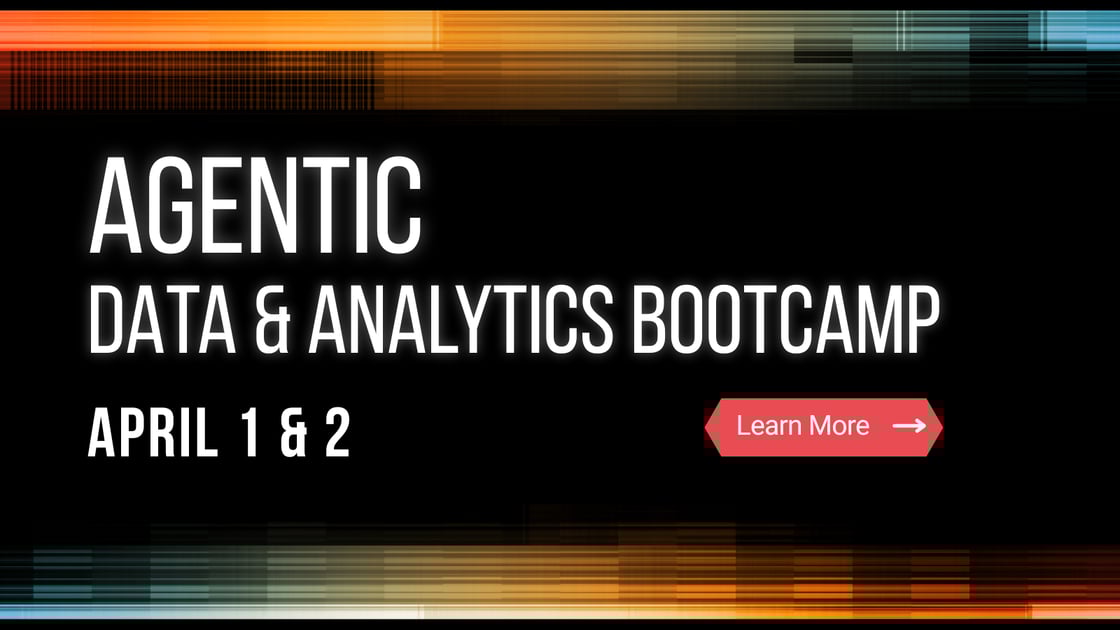
Back by popular demand! We're teaming up with Microsoft for a free, two-day intensive — now with multi-track learning for wherever you are in your agentic journey.
Intermediate track for those exploring agentic data engineering
Advanced track for builders ready to push into production-grade workflows
Hands-on labs, expert-led sessions, and frameworks to take back to your team
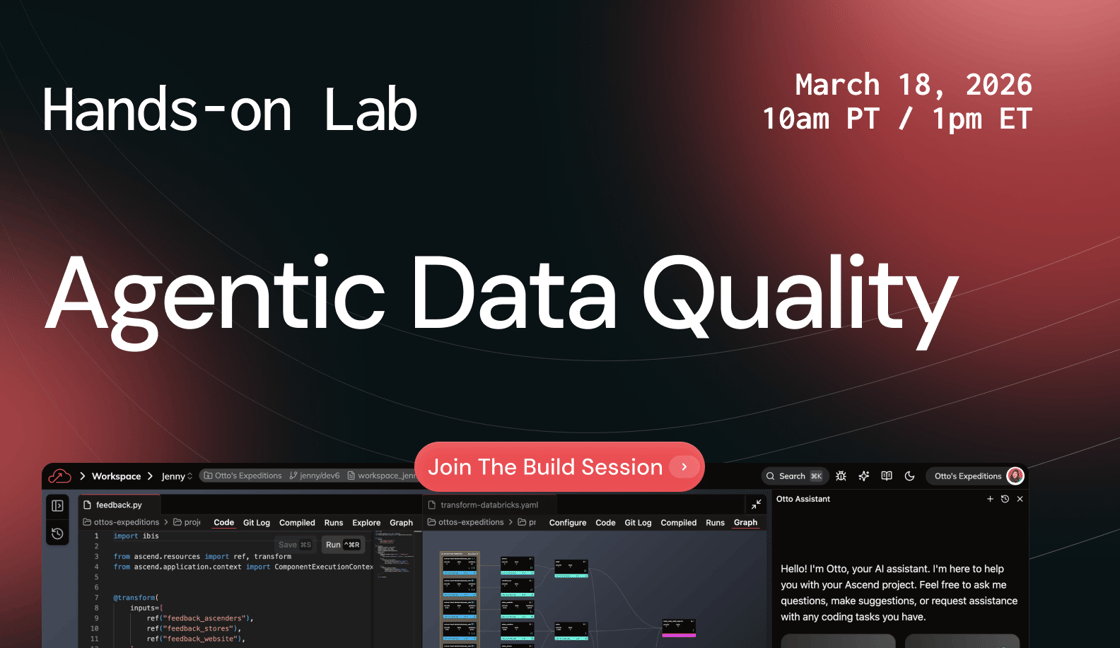
Bad data doesn't announce itself — it shows up as a 7am Slack from your VP asking why the numbers look wrong. Learn how to use AI agents to build and maintain data quality checks before anyone else notices.
Build agentic data quality workflows in a live environment
Automate validation across transformations and upstream sources
Stop playing detective — start preventing issues at the source
AI agents are writing transformations, resolving errors, and deploying changes — but who's accountable when an agent makes a call? Join Ascend CEO Sean Knapp for a practical governance playbook for the agentic era.
Why traditional data governance models break down with AI agents
A framework for governing agentic workflows without slowing them down
Human-in-the-loop patterns that balance speed and control
What happens when you give domain experts Ascend's agentic AI and one week to solve real-world problems? Production-grade pipelines. Meet the winners — from automating UK insurance compliance to surfacing investment opportunities to translating macroeconomic data into plain-English narratives.
50% of data engineering time goes to maintaining pipelines — not building new ones. This guide walks through a practical 4-step framework for auditing, prioritizing, resolving, and preventing tech debt, with a look at how AI agents can accelerate each step.
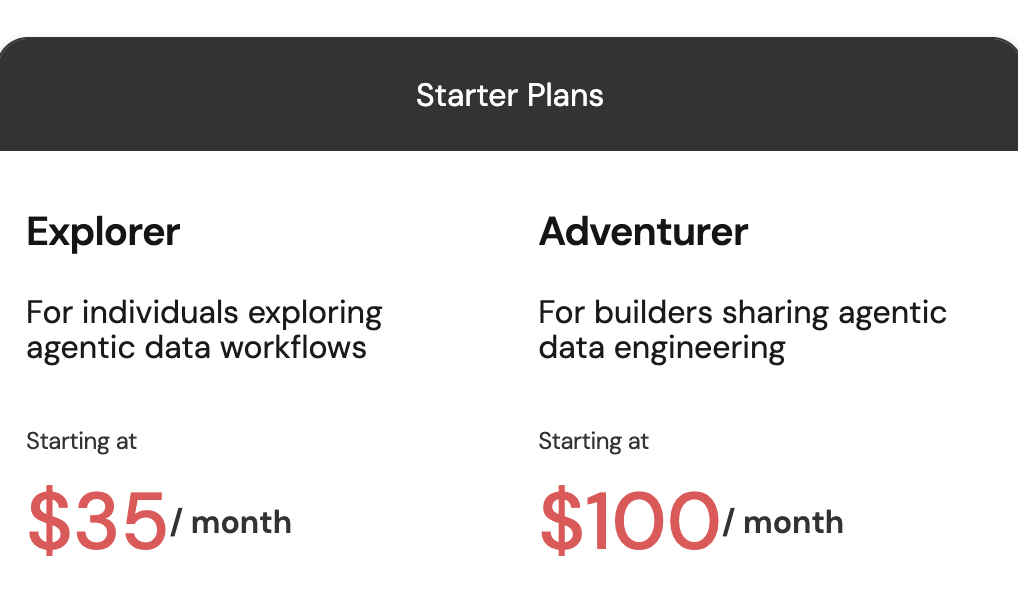
We just launched brand-new low-cost subscription plans designed to make agentic data engineering accessible to all — whether you're a solo practitioner testing AI-powered pipelines or a growing team ready to scale. Plans start with a free trial and scale with you — from individual exploration all the way to production-grade team deployments.
That's a wrap for February! Whether you're grabbing the free rule library, registering for the bootcamp, or tackling tech debt, there's never been an easier time to start building with AI agents. Keep an eye on your inbox for more updates — and until then, stay curious and keep building!
.png?width=1200&upscale=true&name=DataAware%20Newsletter%20(17).png)
.png?width=1120&upscale=true&name=Agentic%20Data%20Engineering%20on%20AWS%20(2).png)

.png?width=1120&upscale=true&name=Agentic%20Data%20Engineering%20on%20AWS%20(5).png)
 See plans & start for free →